NEW Unit4 Cloud Installations of GCON4 MFL
In order to request the installation of the GCON4 MFL version 7.0.x in your PREV, ACPT and PROD environments under Unit4 Cloud, please bear in mind the following steps:
Steps
I.Request to our sales representatives the latest CUSTOMER USE NOTICE. Send it to the following emails: legalnotices@unit4.com ; mateusz.kostka@unit4.com indicating your consent for the installation of the GCON4 MFL tool.
II. Create a CS in the Unit4 portal community.unit4.com
1.Go to Support4U
2.Go to request something-> Cloud -> Software updates & Installations -> Localization/Add-on Installation
3.Complete the form with the following information:
Localization/Add-on name: GCON4 MFL
Version: *Check the latest version in the Release notes*
4.Text for special requirements:
“Good day. We request your assistance with the re-installation of the GCON4 MFL v.7.0.x.xxxx in the (PREV, TEST, ACPT or PROD) environment due to indicate the reason. Please assign our request to Cloud engineers trained in the installation of the MFL 7.0. The customer's contact for the notification is enter your company main contact (name + email address) Thank you so much.”
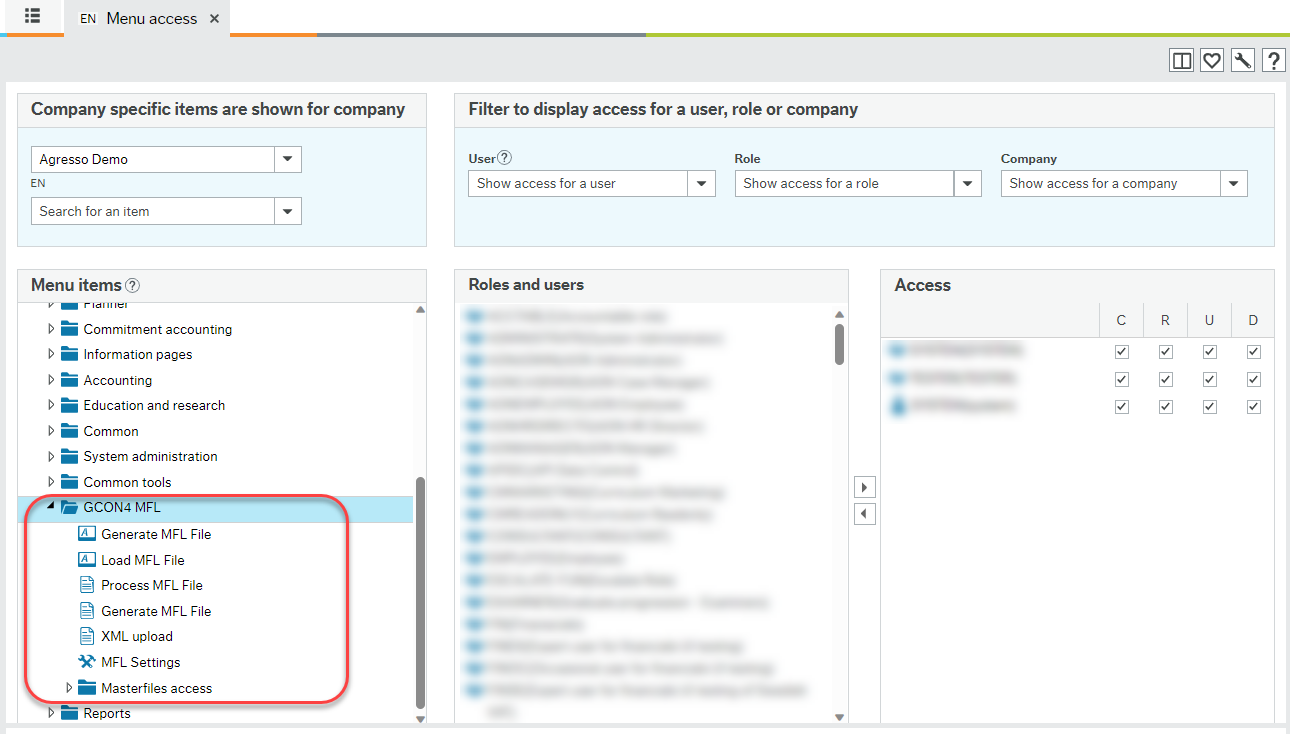
III.Once Unit4 has completed the installation please grant permissions on the GCON4 MFL Menu entries, in WEB:
IV. Request the activation of your license, as indicated in the License Management section.
Important
To request an update of GCON4 MFL, you should start the process at step II. Also note that no new license activation is required.