Parameters
The following parameters can be found in the GCON4 MFL Settings window.
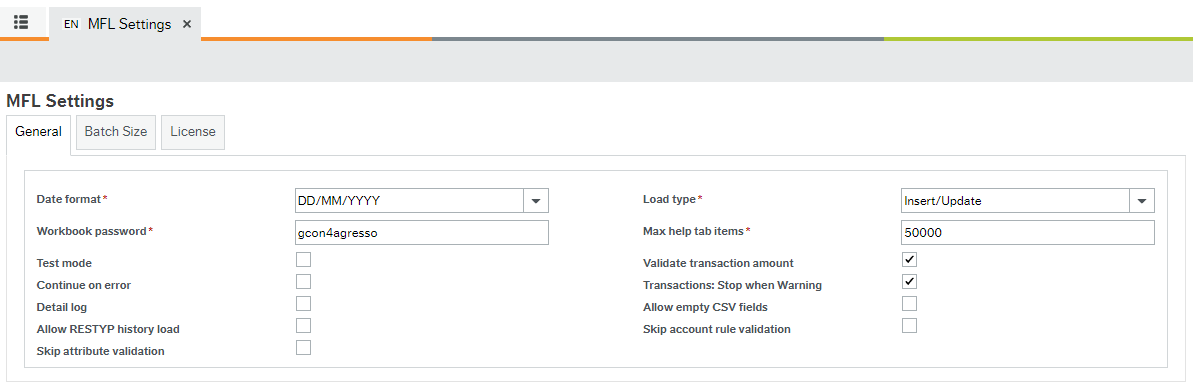
Parameter name |
Description |
|---|---|
Validate transaction amount |
Determines whether GCON4 MFL validates that the amount for a transaction is balanced. If you allow unbalanced transactions to be posted, this parameter must be unchecked, and the Common Parameter in Unit4 ERP ERROR_ACCNT must have an account. |
Continue-on-error |
Determines that GCON4 MFL do not stop the load if it found an error. Automatically sets the batch size to 1 for the load. This parameter was developed for integrations, so is not recommended for other purposes. |
Allow empty CSV fields |
Determines whether GCON4 MFL allow empty values or not in fields of CSV files when load the file. |
Detail log |
Allows including the detailed progression sequence of the upload process in the server process log, such as: queries, getting data, checking integrity, reading file, parsing data, preparing the data, and saving. |
Transaction stop when warning |
Determines that transaction stops if GCON4 MFL found a warning in the transaction GL analysis (account rules specifically). |
Skip Account Rule validation |
Account rule validation is performed entirely by the GL07 Server process (especially when value matrix and validations on relations are set in the account rules) This works along with the skip attribute validation option. |
Skip Attribute validation |
This option removes all the validation on attribute values that GCON4 MFL performs during the loading of transactions. It also affects the way how you see the templates (red colour as indicated that att.values are not validated in the template) |
Max help tab items |
Indicates the maximum number of attribute values to be displayed in the Help tab. This parameter allows you to restrict bringing too many attribute values into the Excel sheet. |
Test mode |
GCON4 MFL performs a test run and no data is uploaded. You can then check the error log to verify data in the Excel templates. |
Workbook password |
Determines the password used to protect the Excel template from modification by unauthorized users. |
Load type |
There are 3 possible load types: - Insert: Only records that do not already exist in the database will be uploaded, even though the Excel sheet may contain records that require update. Only Insert transactions will be performed, no Update transactions. - Update: Only records that need to be updated in the database will be uploaded; no Insert transactions will be performed. - Insert/Update: All records requiring Insert and Update transactions in the Excel sheet will be uploaded to Unit4 ERP. |
Detailed log
The detailed log option is activated when selected in the GCON4 MFL settings window:
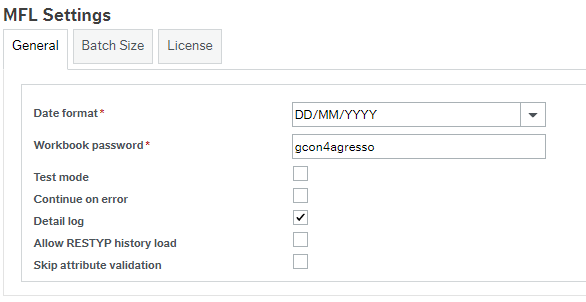
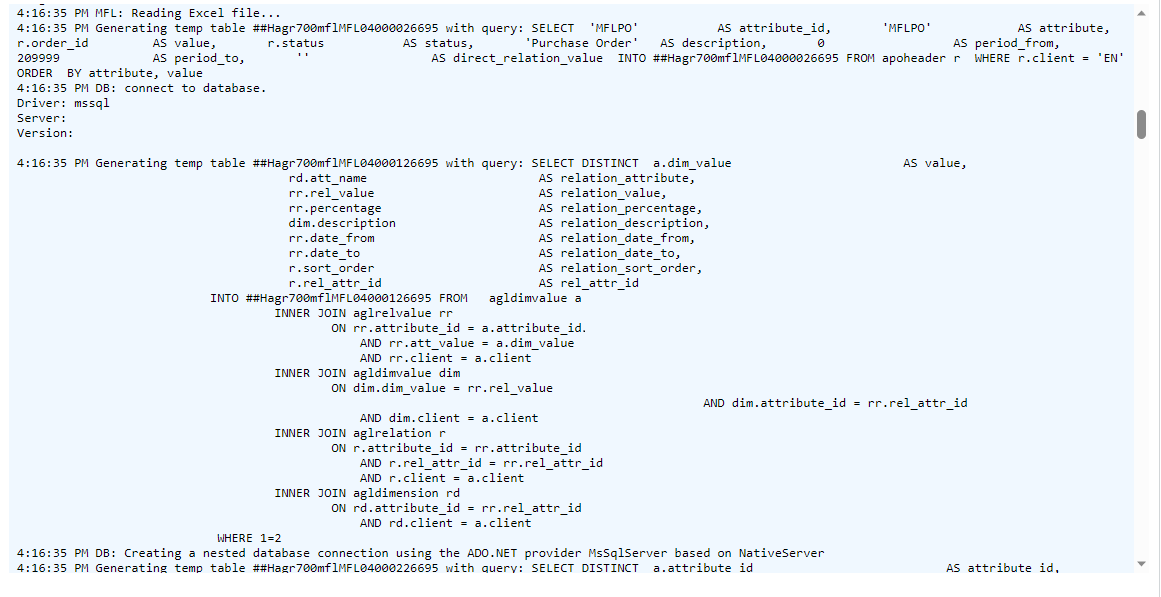
This parameter allows including the detailed progression sequence of the file processing in the server process log, such as: queries, getting data, checking integrity, reading file, parsing data, preparing the data, and saving. It is possible to include the Unit4 ERP standard detailed log in the MFL04 variant (see Variant parameters).
Example of server process log with detailed log
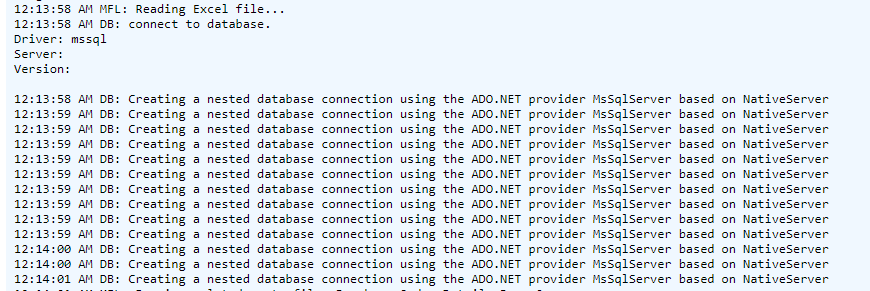
Example of server process log without detailed log
Variant Parameters
These parameters can be used to configure specific MFL04 (Load MFL file) variants, e.g. you can create a variant only for Test mode runs.
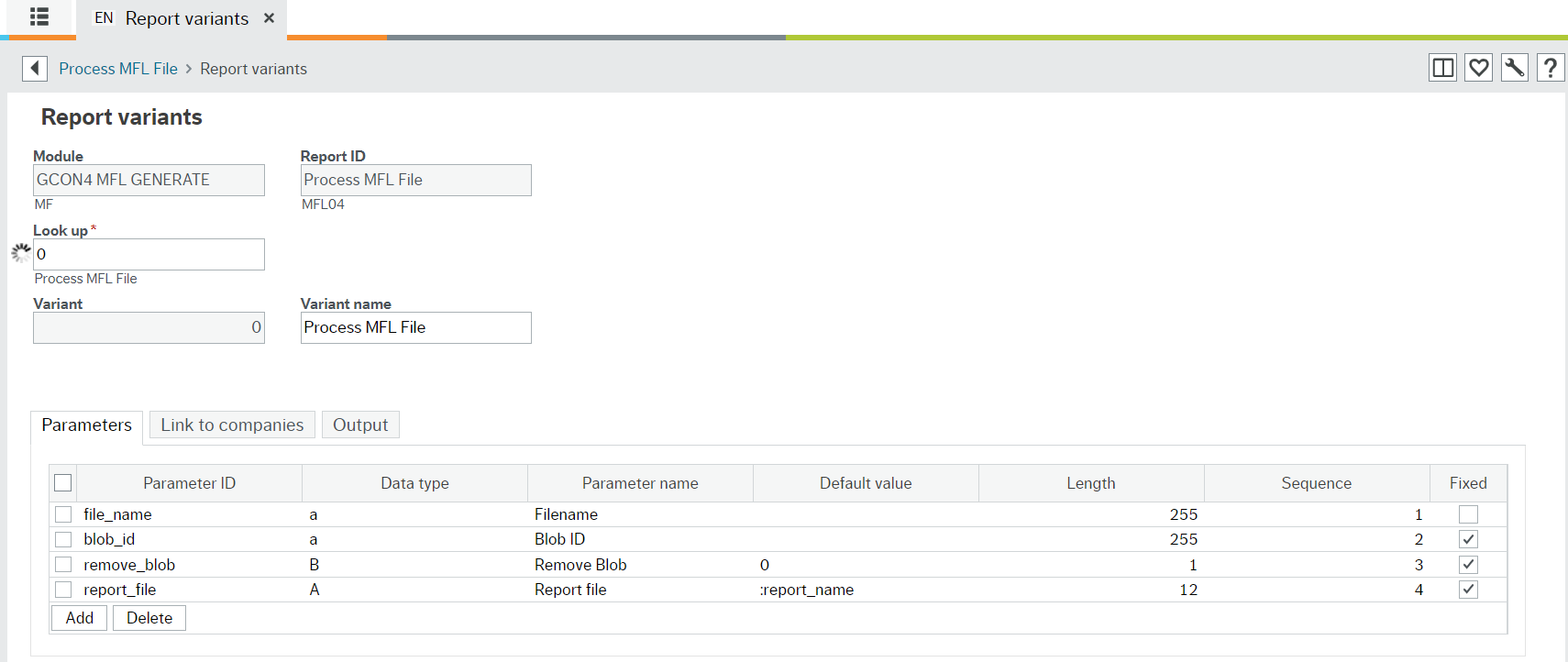
Parameter ID |
Data Type | Parameter name | Default value | Lenght | Sequence | Fixed |
|---|---|---|---|---|---|---|
test_mode |
B |
Test mode |
1 | 12 | ||
vlte_trs_amt |
B |
Validate Trans. Amount |
1 | 1 | 13 | |
cnt_on_error |
B |
Continue on error |
1 | 14 | ||
all_emp_csv |
B |
Allow empty CSV files |
1 | 1 | 15 | |
detailed_log |
B |
Detailed log |
1 | 16 | ||
trns_stp_wrg |
B |
Trans.Stop when warning |
1 | 1 | 18 | |
report_file |
A |
Report file |
:REPORT_NAME | 12 | 19 | x |
blob_id |
B |
Blog ID |
36 | 20 | x | |
remove_blob |
B |
Remove blob |
5 | 21 | x | |
file_name |
a |
File name |
255 | 22 | ||
debugging |
n |
debugging |
4 | 1 | 100 |